Free Migos AI Video: What You Get for $6.99
Compare free ways to explore the Migos AI video trend with a finished 15-second, 720P remake for $6.99. See what each route saves, costs, and delivers.
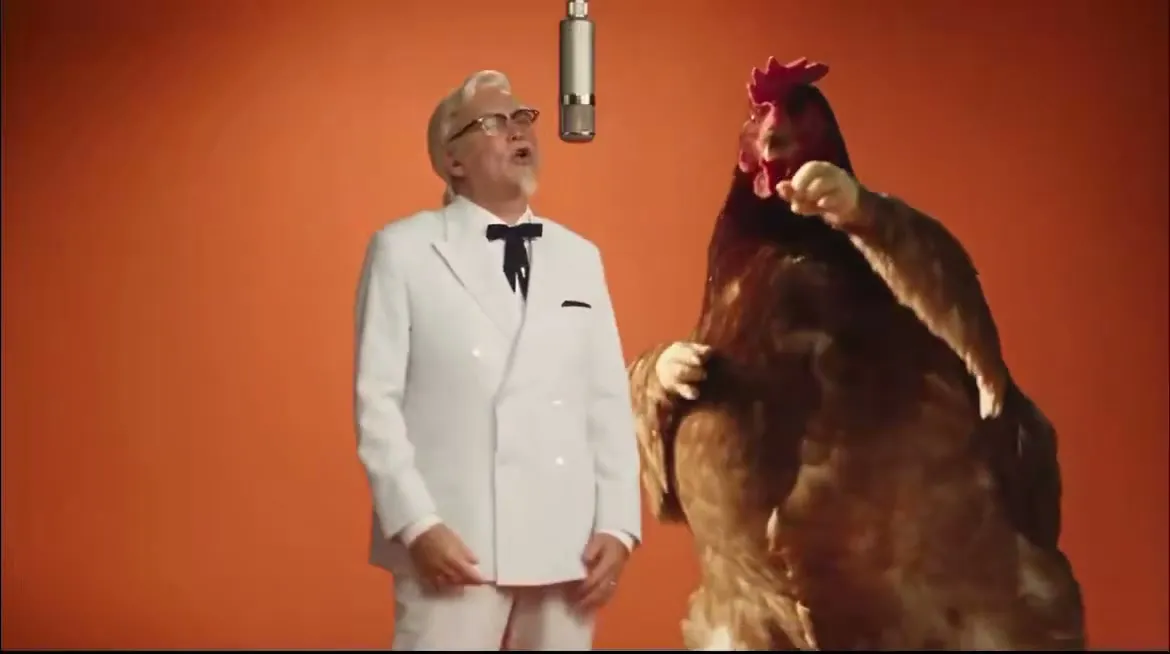
Want to try the Migos AI video trend for free? You can sketch the idea at no cost, but a finished, ready-to-download duo video takes more than a free preview.
What “free” usually means
There is no single free route that guarantees the same result as every Hotel Lobby AI video. “Free” may mean watching examples, testing a limited preview, using tools you already have, or editing a clip by hand. Those options can be useful. They simply do not all produce the same thing: two chosen performers staged together in a 15-second studio performance, with music and a file you can save.
The Migos label can also confuse the search. The familiar reference is Quavo and Takeoff’s “Hotel Lobby” performance as Unc & Phew. A new AI duo video is a remake of the broad setup; it is not the original performance, and it does not need to use the commercial recording.
Three free ways to explore the idea
1. Watch and save inspiration
The simplest free route is to collect examples and decide what makes the format work for you: the shared microphone, the two-person framing, the orange studio, or the contrast between the performers. This costs nothing and helps you choose a pairing before you create anything. It does not create a new clip, though, and saving someone else’s post does not give you permission to reuse their footage or likeness.
2. Make a rough edit with tools you already use
If you know a video editor, you can build a rough visual test from your own images, a background, and a music track you are allowed to use. This can be a good way to check whether two subjects make a fun pairing. The tradeoff is time and coordination: you need to prepare assets, make the scene feel consistent, time the gestures, and export the file yourself. A still-image collage or simple cutout may communicate the joke, but it will not automatically look like both subjects are sharing one performance.
3. Try a general tool’s free allowance
Some general creative tools offer a limited free preview or trial allowance. The terms, watermarks, queues, and export limits vary, and free credits can change. Before uploading photos, check whether the service allows image-to-video use, how long the output can be, what resolution is available, and whether your file can be downloaded without a watermark. A preview that plays inside an editor is not always an exportable finished video.
These routes are genuinely helpful for exploration. They are less predictable when you want the same two portraits to appear together in a coordinated scene and then need a specific finished file. Free does not always mean zero effort or a result you can post.
What the $6.99 option includes
The paid route is for someone who already knows the pairing and wants the finished clip. One order costs $6.99 once. It makes one 15-second video in 720P, using two separate photos as the performers. You can choose portrait 9:16 or landscape 16:9 before checkout. The scene is a warm orange studio performance with AI-generated original music, rather than an automatic copy of the commercial “Hotel Lobby” recording.
After payment, generation continues and a private order page shows its status. When the render is ready, you can preview and download the video there. There is no subscription or automatic renewal. The order creates one video; it is not a bundle of unlimited retries or a free trial.
The tool does not promise an exact face match. Clear, well-lit portraits give the model a better starting point, but movement can alter details. You should use photos you own or have permission to use, especially if you plan to share the result publicly.
Free versus $6.99 at a glance
| Route | What you get | What you still have to do |
|---|---|---|
| Watch examples | Inspiration and a pairing idea | Create the video elsewhere |
| Manual edit | A rough version you control | Assemble, time, and export the scene |
| Free preview or credits | A limited test, depending on the service | Check limits and whether a clean download is included |
| One-time $6.99 order | One 15-second, 720P duo video with a download page | Upload two usable portraits and wait for generation |
The right choice depends on what you value. If the fun is experimenting and you have time to edit, start free. If you mainly want a coordinated result without assembling a timeline, the paid order is the shorter path. Either way, be careful with other people’s faces and label AI-made content clearly when you post it.
Keep the last step simple
Free research can help you pick two performers and the format. It cannot hand you this product’s finished file. To make one, go to the Hotel Lobby AI video creator, upload two portraits, choose 9:16 or 16:9, and see the one-time $6.99 price before checkout. Once the order is placed, use its private page to check progress, preview the result, and download the 15-second video.
If you want to see how the format fits with the rest of the product, visit our Hotel Lobby AI video page. It includes the sample, photo guidance, and the generator in one place. For a broader look at the site, head back to the Hotel Lobby AI homepage.